01
Guest scans
The table menu opens directly in their browser.

Guests scan, order, and pay from their phone. Your team receives every order instantly, while you keep the whole operation visible in one place. Guests scan, order, and pay. Your team gets every order instantly.
 Pay Quick
Live update
Pay Quick
Live update
Pay Quick connects the guest experience to venue operations through one simple, visible workflow.
The table menu opens directly in their browser.
Items, tips, and payment stay in one clear checkout.
The paid order appears instantly on the KDS.
Order status stays updated through service.
Add items, complete a simulated payment, and follow the order through to the kitchen display.
Point your camera at the QR code on the table to open the venue menu.
Try the guest actions. Pay Quick keeps the venue team in sync automatically.
Interfaces focused on the task at hand—with no unnecessary navigation and no complicated training.
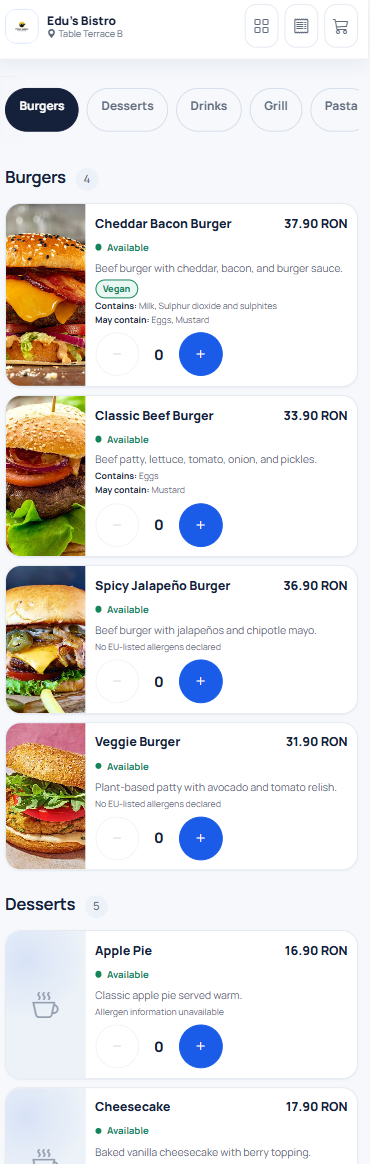
Clear categories, images, descriptions, quantities, and a cart that stays within reach.
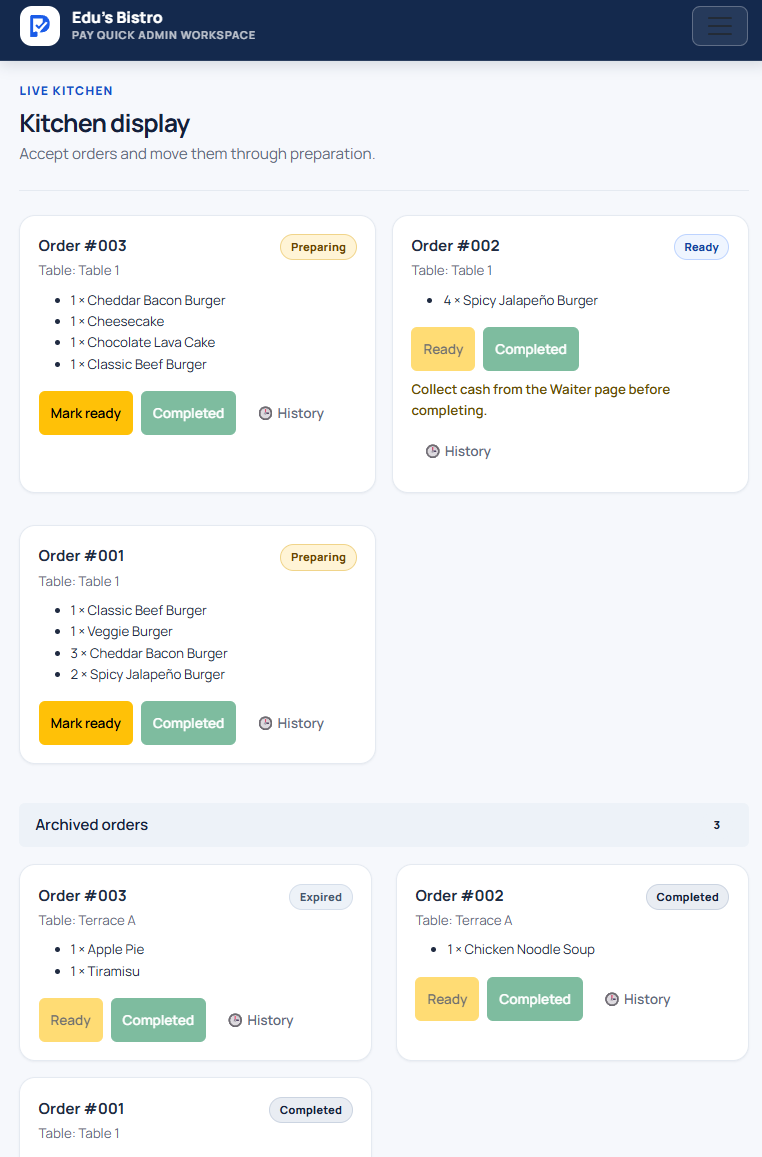
The KDS separates active and archived orders while retaining the history of every change.
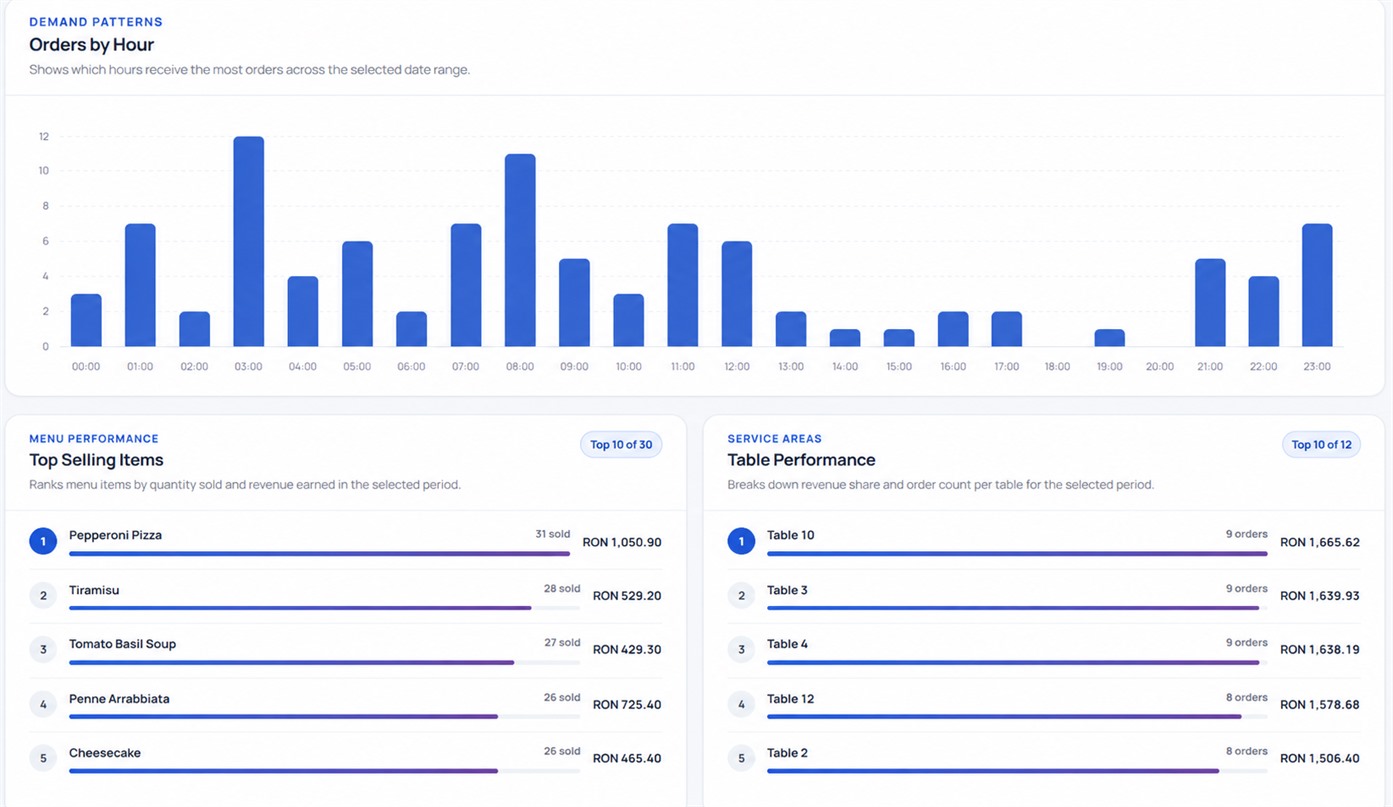
Revenue, peak hours, popular items, and operational performance in one reporting workspace.
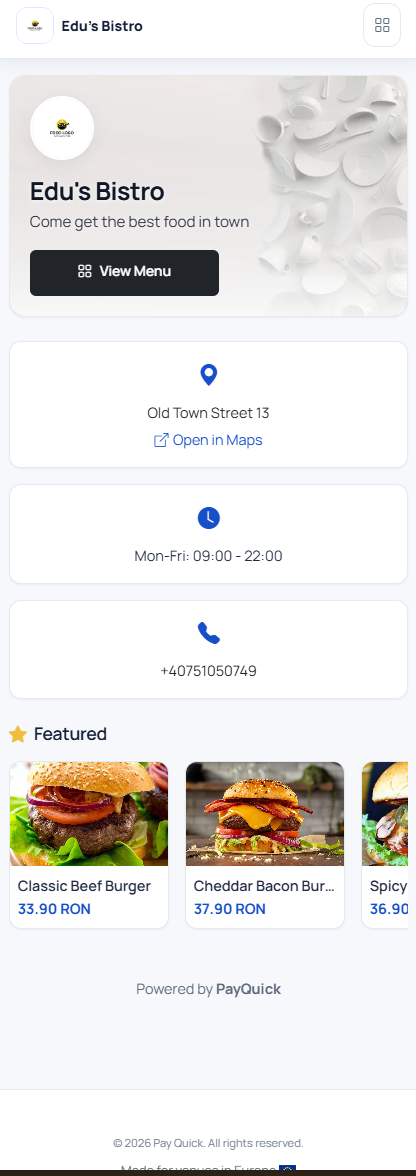
A focused mini site with your logo, cover, opening hours, address, social links, and featured items — ready to share anywhere.
The mockups explain the flow at a glance. These screens show the complete experience your guests and team actually use.
From the venue page through menu and checkout.
Clear kitchen orders and useful reporting for managers.
No setup fee and no long-term contract.
For smaller venues
For growing venues
Every venue connects its own Stripe or NETOPIA account. Pay Quick never holds the venue’s funds.
No. The menu opens directly in the browser after scanning the QR code, with no account or installation required.
Yes. Cash orders are acknowledged by a waiter before reaching the KDS and remain visible until payment has been collected.
Pay Quick supports Stripe and NETOPIA Payments. The venue uses its own processing account.
After connecting your payment provider, add the menu, generate table QR codes, and you can begin receiving orders.
No. The table session is secured and guests can order without registration or a password.
Yes. Subscriptions are monthly and can be managed from the venue’s Subscription page.
Start with your menu, your own payment account, and a workflow your team can use immediately.